Image 1
Image 2
Image 3
Slide Paused

Malwarebytes for Mac 5.24.0

By: eivindsimensen

For a long time, Malwarebytes wasn't considered a classic antivirus program. It was mostly designed to find potentially harmful software, spyware, and adware on your system, as opposed to looking for viruses via signatures or heuristics.
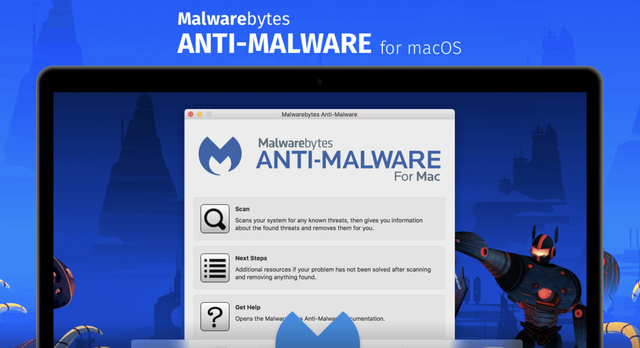

Recently, however, Malwarebytes has been transformed into a complete antivirus, one that should provide protection against all kinds of threats and make an additional antivirus application unnecessary. It may not be quite there yet, but it is improving quite rapidly.

Now a full antivirus
Malwarebytes used to be the go-to solution for getting rid of adware and spyware, but it was always meant to be used together with a proper antivirus. Even the program's developers touted its ability to work together with other security software.

For a while, though, the app has been transitioning to a fully-fledged antivirus, with mixed results. There are few lab tests that gauge its effectiveness, especially for the macOS version. The Windows edition fared well in the October 2020 AV-Test roundup (though results have been very inconsistent in recent years), but the Mac version has never been tested.

File Repository
Main New Popular Statistics Search Upload
Item Legend
New Today () New Last 3 Days () New This Week ()
Updated Today () Updated Last 3 Days () Updated This Week ()

Keka v1.6.0
Author :  Author Email : N/A
Size : 36 MB Updated : N/A
Views : 565 Downloads : 18
Posts needed : 0 Permissions : All Visitors
Version : 1.6.0 Ratings : 0 / 10 
Description
Based on the p7zip port of the 7-zip open source project, the Keka macOS application offers you the possibility to quickly create file archives (7z, ISO, DMG, TAR, ZIP, Bzip2, or Gzip) that have a high compression ratio.

At the same time, Keka can also be used to extract files from various types of archives, such as RAR, 7z, Lzma, xz, ZIP, TAR, CAB, PAX, ACE, ISO, Bzip, or Gzip.

Powerful compression tool featuring a user friendly workflow
Within the Keka main window you have the option to select the compression method you want to use and make the necessary adjustments. All you have to do next is drag and drop the files you want to archive on top of the app’s interface or icon, and Keka takes care of the rest.

By default, Keka will place the archive in the same folder with the source files, but via the Preferences window you get to define a custom output location, or choose to be prompted in each case. Using the latter option might be advisable since you will also have the option to add custom names to the archives.

Extract compressed files with the same ease
Keka will automatically recognize if the file dropped on top of its window or Dock icon is an archive, and automatically starts extracting the contents. Similarly, you get to choose here you want to have the files extracted: next to the originals, at a custom location, or in a user selected folder.

What’s more, the Keka project also provides an Automator workflow designed to help you integrate its services in the Finder’s contextual menu: simply drag and drop the Compress with keka.workflow file in the ~/Library/Services/ folder.

To conclude, if you are looking for an uncomplicated Mac OS X application that enables you to use the 7za capabilities in a streamlined manner, Keka certainly deserves a try.
File Repository 1.1.0 ©